


BBS Sysops have been wondering how they’re able to run older 16-bit BBS software Door Games in modern Windows operating systems for a while now. Of course those who are Linux savvy will say “Just run everything in DOSEMU and that’s all you need.” Yes that’s true, but we’re looking at Windows based solutions. Eventually I’ll write a blog on DOSEMU. But not today.
Back in the DOS days, we only had 16-bit MS-DOS and everyone was fine with that. Then came Windows 3.1 (still 16-bit) and we were still fine with that.
But when Windows 95 came out in 1995, we were introduced to 32-bit. Well, the Windows side of things was 32-bit, but the DOS that it ran on was still 16-bit.
Windows progressed on and we had Windows XP, which by some accounts was the best Windows based OS because it did what most BBS Sysops wanted it to do, and most of the bugs from previous Windows had finally been fixed. XP by design was 32-bit (though a 64-bit edition was later developed towards the end of its life) and could still run 16-bit DOS applications in full screen mode.
That changed significantly with the advent of Windows Vista and Windows 7. Suddenly we found out that the DOS prompt could no longer be run in full screen. OK, we can live with that. But the biggest problem with Vista and 7 were that they were mostly 64-bit out of the box, and we found out the hard way that Microsoft failed to implement a solution for allowing people to run older 16-bit DOS applications (and 16-bit Windows applications, but that’s another story for another time). Yes there was still the familiar DOS prompt, but if you attempted to run a 16-bit DOS application, it gave a not so nice error message saying it can’t run on that version of Windows. Imagine that.
Windows 8 and 10 are the same way. You still had a DOS prompt, but you couldn’t run 16-bit applications if you ran the 64-bit version of these Windows releases. Fortunately for Windows Vista, 7, 8, and 10 we had 32-bit options. And for the most part this seemed to work well. Yes, you maxed out your memory at around 3 GB, but for the most part you could successfully run a BBS (either 16 or 32-bit) and be able to run 16-bit DOS BBS doors successfully. This is how a number of BBS Sysops are running their BBS now – a 32-bit based Windows 10 so they can have backwards comparability for DOS door games. Yes you have to tweak a few things to make them work right (like invoking “Legacy Console” mode for the DOS prompt), but for the most part things do work as they did many, many years ago.
We knew the gravy train of backwards compatibility would end eventually. In October 2021, Microsoft released Windows 11. This was the first major Windows release in over 6 years. The original concept of Windows 10 was that it was going to be updated twice a year under the philosophy of “Windows as a Service” and it would be the “last Windows” ever. Obviously they changed their mind and now we have Windows 11.
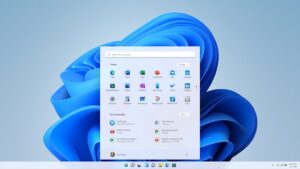
The problem with Windows 11 is that it is 64-bit only. No 32-bit option at all. It wasn’t planned and it probably will never happen. Wishful thinking if it ever does come to fruition.
So now what? Do we just run 32-bit Windows 10 forever? Or do we attempt to use Linux and DOSEMU? What other options are there?
There are a couple of options that are worth exploring, though it depends on your situation what one is best for you.
There are two basic camps of Windows/DOS based BBSing in the 2020s. The first came are those who run classic DOS BBS systems like Renegade, older WWIV, ProBoard, PCBoard, older Wildcat systems, etc. And you have the newer group who run a 32-bit based Windows based BBS like Synchronet or Mystic, but still run 16-bit BBS doors that are called by these systems.
So for those who run the Windows versions of Synchronet, Mystic and modern WWIV (5.x and above), your option for continuing to run 16-bit DOS Door Games in Windows is using a system called NTVDMx64. So what is that you may ask? It’s a software program based upon some older Windows NT and Windows 2000 code that allows you to run 16-bit DOS applications in a 64-bit Windows environment.
Though it does work most of the time, it does have a number of caveats. The first of which since NTVDMx64 is based upon modified Windows code, it mistakenly raises red flags for any anti-virus system that you may have. This includes the built-in Windows Defender. Again, this is a false alarm but many people would be concerned about it. Sometimes you can tell your anti-virus system to ignore it and move on, but other times it’s really difficult to work around this issue.
The other issue is that the BBS systems may not work with NTVDMx64 directly out of the box. The latest Synchronet (v. 3.19 released in January 2022) has been updated to run with NTVDMx64 in mind. But other BBS systems may or may not be able to work directly with it. However, PCMicro has released a 64-bit version of NetFoss FOSSIL driver in order to work with NTVDMx64 and this has been proven to work. So with some extra configurations to get all of the planets to align, you can indeed get it to work about 90% of the time. (TradeWars 2002 is a known issue in some instances.)
What about other options? For another of years there has been a program called DOSBOX that allows you to run most 16-bit BBS programs in a 64-bit Windows environment fairly easily. The issue is trying to configure that to work with a BBS program. There have been articles written on how to run a 16-bit BBS program in a “fork” of DOSBOX called DOSBOX Staging where people can Telnet in to your computer, and DOSBOX Staging can direct that to a 16-bit BBS that runs inside of it. I haven’t personally tested that, but it shows promise.
What about running BBS Doors with DOSBOX and a BBS like Synchronet or Mystic? The only one that I’ve seen successfully done is Yankee Trader. There’s a website that describes how to use a modified older version of DOSBOX in order to have Yankee Trader successfully run on Synchronet. I currently use that and I can confirm that does work. However I have yet to figure out how to use it for other Door Games.
So there are options out there on how to deal with the “16-bit on 64-bit” problem, but the problem is not fully solved. There are bits and pieces of solutions out there, but there are caveats to each of these. Hopefully running a BBS can continue on in Windows 11, but it will be a challenge to make it all work. Stay tuned!
